Stickman Fighting 3D
More games to play
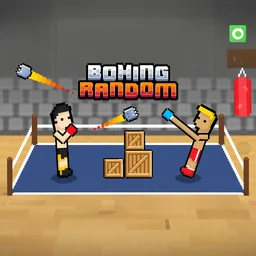 Boxing RandomOne-button ragdoll boxing where arenas, outfits, and chaos change every round.
 Drunken BoxingTwo-player ragdoll boxing where wobbly physics decide every punch.
 Street Fighter 2Restored Flash fighter: take Ryu into the Ryu vs Sagat duel with hadoukens and shoryukens.
 Ragdoll Arena 2 Player14 wobbly two-player mini-games, first to three wins, solo vs AI or local couch play.
 Fight Arena OnlineBack to the main game
Stickman Fighting 3D is a 3D melee brawler where you pick a stick figure and fight off the opponents in front of you with timed strikes. The hook is in the name: choose your stickman and chain attacks into combos to win the round. It is free and plays right in the browser, so you can jump in here, or play it unblocked at school or work wherever browser games are allowed. No download, no account.
What Stickman Fighting 3D is about
This is a single-player action game built on close-range fighting. You control one stickman, face off against the opponents the game lines up, and win by landing hits while dodging theirs. The 3D look gives each strike some weight, but the loop is pure fighting game: read the opponent, pick the right attack, and connect before they recover.
Keys for moving and striking
One hand walks the fighter and the other throws attacks. Movement sits on WASD, the strikes are split across two rows of keys, and Space pauses.
| Action | Keys |
|---|---|
| Move | W A S D |
| Attacks (first set) | T Y U |
| Attacks (second set) | G H J |
| Pause menu | Space bar |
Stringing the six attacks into combos
The TYU and GHJ keys are the whole toolkit, and each one throws a different strike. Mashing a single button gets old fast, so the better play is to alternate between the two rows to keep the opponent stunned and stack damage. Find a sequence that connects and lean on it.
| Attack row | What it gives you |
|---|---|
| T Y U | Three different strikes to open with |
| G H J | Three more to extend the combo |
Where the game came from
Stickman Fighting 3D was made by Yuriy Nikshych. It started on Android in December 2016, came to iOS in August 2017, and landed as a browser build in November 2019, which is the version you play here. There are still native apps on Google Play and the App Store if you want it on a phone.
Tips for winning rounds
A few habits that help:
- Learn what each of the six attack keys does before you rely on it.
- Keep moving with WASD instead of standing still and trading hits.
- Only start a combo once a hit lands, then keep feeding inputs while the opponent is staggered.
- Avoid panic-mashing. A whiffed attack leaves you open to the counter.